The email comes from a vendor your company knows.
There’s an outstanding invoice.
The vendor recently changed banks and sends updated wiring instructions.
The request doesn’t seem unusual. The names are right. The signature looks familiar. Maybe the email even appears in an existing conversation.
Accounting makes the change and sends the payment.
Days later, the real vendor calls.
They haven’t been paid.
The money went somewhere else.
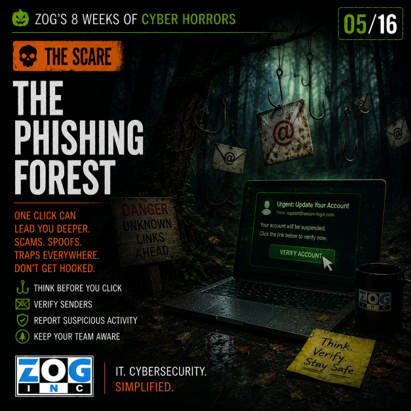
Welcome to Week 3 of Zog’s 8 Weeks of Cyber Horrors and The Phishing Forest—where everything can look familiar right up until you realize you’re lost.
Phishing Has Grown Up
We’ve all seen the stereotypical phishing email.
Bad grammar. Strange formatting. A suspicious sender. An unbelievable story about a fortune waiting for you if you'll just provide your banking information.
Those attacks still exist.
But they're not the ones businesses should be relying on employees to spot.
Modern phishing and business email compromise can be much more convincing.
Cybercriminals can research employees, executives, vendors and business relationships before they ever send the first message. Company websites, LinkedIn profiles and social media can provide names, job titles and organizational information.
Attackers may impersonate a supplier or executive.
They may compromise a real email account.
They may monitor conversations before making their move.
They may even insert fraudulent payment instructions into a legitimate business process at exactly the right moment.
That's why “the email looked real” isn't much protection anymore.
Sometimes, it does look real.
The Most Dangerous Phishing Emails Look Like Work
The best phishing emails don't necessarily promise something extraordinary.
They ask you to do something completely ordinary.
Review this document.
Sign into your Microsoft 365 account.
Pay this invoice.
Update this direct deposit information.
Reset this password.
Open this shared file.
Buy these gift cards for an employee event.
Those are things employees might legitimately do every day.
The attacker’s job is to make the fraudulent request blend into normal business activity long enough for someone to act on it.
That’s what makes The Phishing Forest so difficult to navigate.
The path you're following may look exactly like the one you take every day.
They Don't Need Everyone
An attacker doesn't need to fool your entire company.
They need one person at the right moment.
One click.
One password.
One MFA approval.
One payment.
One change to a vendor's banking information.
And urgency is one of their favorite weapons.
“Please handle this immediately.”
“I'm heading into a meeting.”
“The vendor needs payment today.”
“This account will be suspended.”
“I need this before the end of the day.”
Pressure changes behavior.
When people feel rushed, they're more likely to skip a step, overlook something unusual or bypass a normal approval process.
That's exactly what the attacker wants.
Sometimes the Goal Isn't Money—Yet
A fraudulent wire transfer can create an immediate and obvious loss.
But not every phishing attack asks for money.
Some attackers want credentials.
A fake Microsoft 365 login page, for example, may be designed to capture an employee's username and password. Once attackers gain access to an account, they may be able to gather information, impersonate the employee, target additional people or use that access to prepare for a larger attack.
Others may use phishing to deliver malware or establish an initial foothold inside the organization.
That innocent-looking email can therefore be the beginning of the attack rather than the attack itself.
AI Is Making the Phishing Forest Thicker
Generative AI creates another challenge for businesses.
For years, employees were taught to watch for spelling mistakes, awkward grammar and poorly written messages.
Those clues haven't disappeared, but they're becoming less useful on their own.
Attackers now have easy access to tools that can help them write polished, professional messages in seconds. They can create convincing language for a particular industry, job role or business scenario without being fluent in the recipient's language.
That means security awareness has to evolve beyond:
“Does this email look suspicious?”
Employees also need to ask:
“Does this request make sense, and have I verified it through the right process?”
Technology Helps. Process Matters Too.
Email security, spam filtering, endpoint protection and other cybersecurity tools can stop many threats before they ever reach an employee.
But no technology catches everything.
That's why some of the strongest defenses against phishing aren't just technical controls.
They're business processes.
If a vendor suddenly changes banking information, how is that change verified?
If an executive requests an unusual payment, does someone confirm it through another communication channel?
If an employee receives an unexpected MFA request, do they know what to do?
If someone suspects an email is fraudulent, do they know who to contact?
These procedures create checkpoints where a convincing attack can still be stopped.
A Business Leader's Question
This week, ask your team:
“If one of our vendors emailed us today with new wiring instructions, what would we do before sending the money?”
There should be a clear answer.
Because the Phishing Forest isn't scary because employees aren't smart.
It's scary because the best attacks are designed to look like normal business.
The email might look right.
The sender might look right.
The request might even make sense.
That's when stopping to verify matters most.
Can You Survive the Scare?
Getting into the Phishing Forest can take just one click.
Getting out requires a combination of technology, training and business processes designed to catch what people—and security tools—sometimes miss.
Come back Thursday for SURVIVE THE SCARE, when we'll look at practical ways to help your employees recognize suspicious requests, verify high-risk transactions and avoid taking the bait.



Leave a Comment
Your email address will not be published. Required fields are marked *