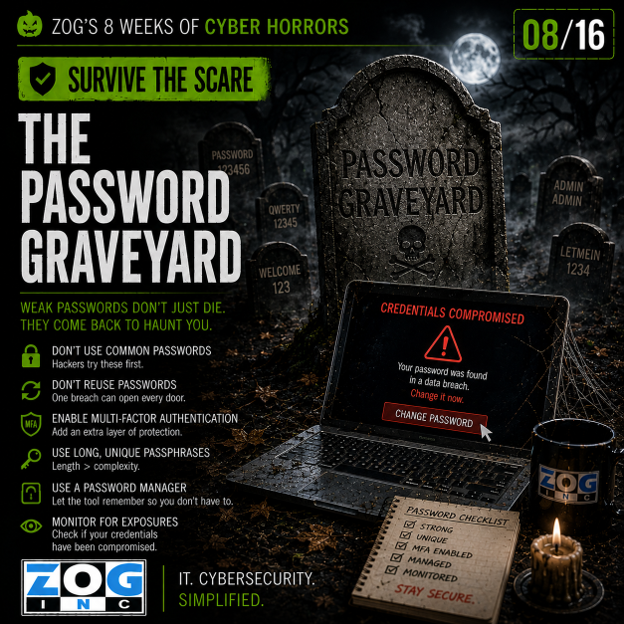
Earlier this week, we entered The Password Graveyard and looked at a problem that can haunt businesses for years: Old passwords, reused credentials and forgotten accounts.
A password used years ago can resurface in breach data. An account nobody remembers can remain active. Credentials stolen from an unrelated website can potentially be tried against business systems.
So how do you keep those old credentials from coming back from the dead?
Start with an important assumption:
You can't guarantee that a password will never be stolen.
Employees can fall for phishing attacks. Third-party websites can be breached. Malware can steal credentials. Passwords can be exposed in ways outside your organization's control.
Your security strategy should therefore be designed around a second idea:
Make sure a stolen password isn't enough.
Welcome back to The Password Graveyard. It's time to Survive the Scare.
Require Multi-Factor Authentication
If there's one place to start, it's multi-factor authentication (MFA).
MFA requires users to provide an additional form of verification beyond their password. That creates another obstacle for an attacker who has obtained legitimate credentials.
Think of it this way:
A cybercriminal digs up an old password from the graveyard and tries it against one of your systems.
The password works.
But the door still doesn't open.
That's exactly what you want.
MFA should be especially important for email, Microsoft 365, remote access, cloud applications, administrative accounts and other systems containing sensitive information.
MFA isn't perfect, but it can make a stolen password significantly less useful to an attacker.
Use Unique Passwords
One compromised password shouldn't create a domino effect across multiple accounts.
Employees should use unique passwords for different services rather than recycling the same credentials.
Of course, telling someone to remember dozens of complicated, unique passwords isn't particularly realistic.
That's where a password manager can help.
Password managers can generate and store strong, unique credentials so employees don't have to rely on memory—or keep making small variations of the same favorite password.
If one website suffers a breach, a unique password helps contain the problem to that account rather than potentially exposing several others.
Disable Dead Accounts
Some accounts really should stay buried.
When an employee leaves your company, their access should be removed promptly. The same applies when a contractor finishes a project or a vendor no longer requires access.
But offboarding isn't the only time to clean house.
Regularly look for:
- Inactive user accounts
- Former employees
- Old vendor or contractor access
- Unused administrator accounts
- Test accounts
- Accounts associated with retired applications
An account nobody uses isn't harmless simply because nobody remembers it.
If it still provides access, it's still a potential target.
Pay Special Attention to Privileged Access
Not every account can do the same amount of damage.
Administrative and other privileged accounts can provide access to settings, systems and information ordinary users can't reach.
That makes them especially valuable to attackers.
Review who has administrative privileges and ask whether each person genuinely needs them. Where possible, employees should use standard accounts for everyday work and privileged access only when it's required.
The fewer powerful accounts you have, the fewer high-value credentials attackers have to target.
Monitor Identity
Prevention matters, but businesses also need the ability to recognize when something unusual is happening.
Suspicious authentication activity can provide clues that credentials have been compromised.
That might include unusual login locations, repeated failed authentication attempts, unexpected MFA requests or other sign-in behavior that doesn't match what you'd normally expect from the user.
The objective isn't simply to collect alerts.
It's to have a process for determining when unusual activity requires investigation and action.
Because if a legitimate username and password are being used by the wrong person, the login itself might not immediately look malicious.
Identity has become part of the security perimeter.
Review Access Regularly
Access tends to accumulate.
Someone changes departments but keeps permissions from their previous role.
A vendor finishes a project, but their account remains active.
An employee receives temporary access to a system—and “temporary” quietly becomes permanent.
That's why access shouldn't live forever simply because nobody remembered to remove it.
Periodically review who has access to important systems and ask:
Do they still need it?
If the answer is no, remove it.
This also limits what an attacker can reach if an account is ever compromised.
A Business Leader's Question
This week, ask your IT team:
“If one of our employees' passwords was stolen today, what would stop the attacker from getting into our systems?”
The answer shouldn't simply be:
“We hope they don't steal it.”
You should hear about additional protections—MFA, unique credentials, monitoring, access controls, account management and a process for responding to suspicious activity.
That's what turns password security into identity security.
Survive the Scare
You don't have to eliminate every password risk to make your organization harder to compromise.
Require MFA. Use unique passwords. Make password managers practical for employees. Disable accounts that no longer belong. Limit privileged access. Monitor authentication activity. Regularly review who can access what.
Because the goal isn't simply to build stronger passwords.
It's to build your defenses around the reality that passwords can be compromised.
A credential may eventually find its way into The Password Graveyard.
Just make sure that if an attacker digs it up, one stolen password can't unlock the entire crypt.



Leave a Comment
Your email address will not be published. Required fields are marked *